MCP
Arky supports MCP (Model Context Protocol) in both directions. You can grant your AI agent access to tools and data from external services, or let other apps read your Arky data.
MCP can be managed under Settings → MCP.
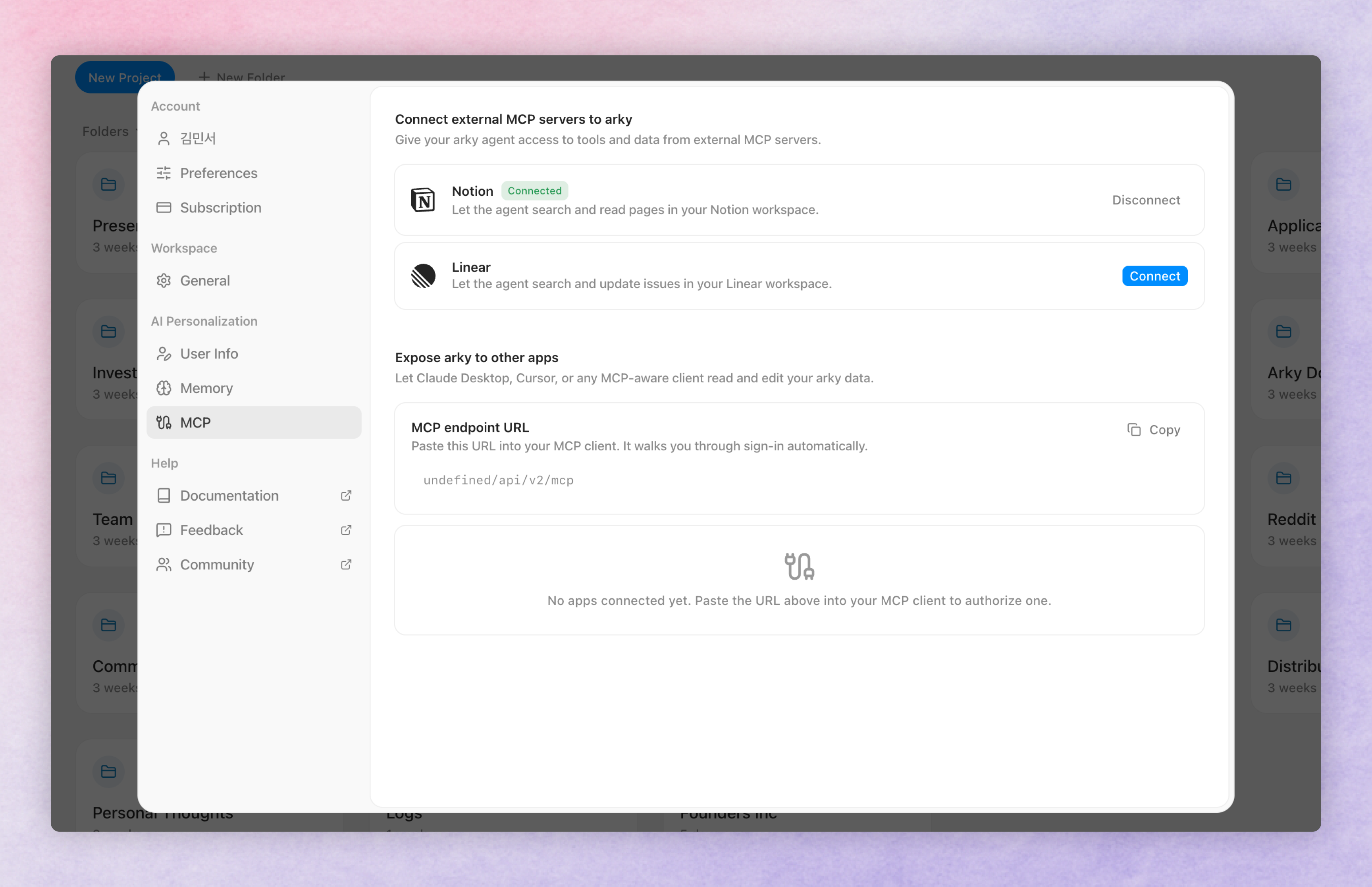
Connect external MCP servers
Give your Arky agent access to tools and data from external MCP servers. Click Connect next to a server to open that service's login page in a new window, review the permissions screen showing exactly what Arky is asking for, and approve. Your password is never shared with Arky (OAuth). Tools from connected servers are automatically available in chat, and Disconnect on the same row revokes access at any time.
Notion
Read and update pages in your Notion workspace.
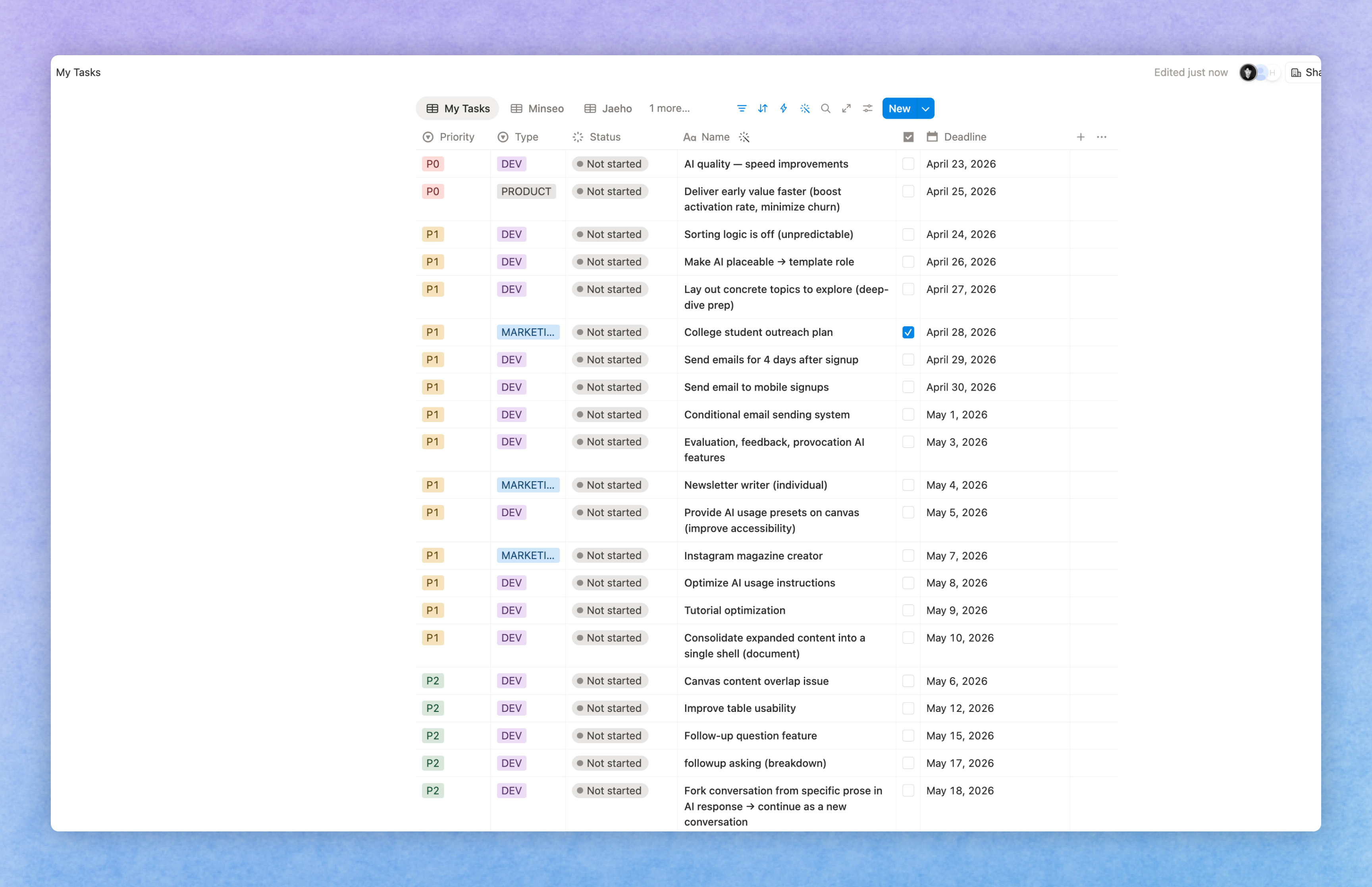
Plan and prioritize tasks — Pull your tasks from Notion and think through priorities and structure on the Arky canvas.
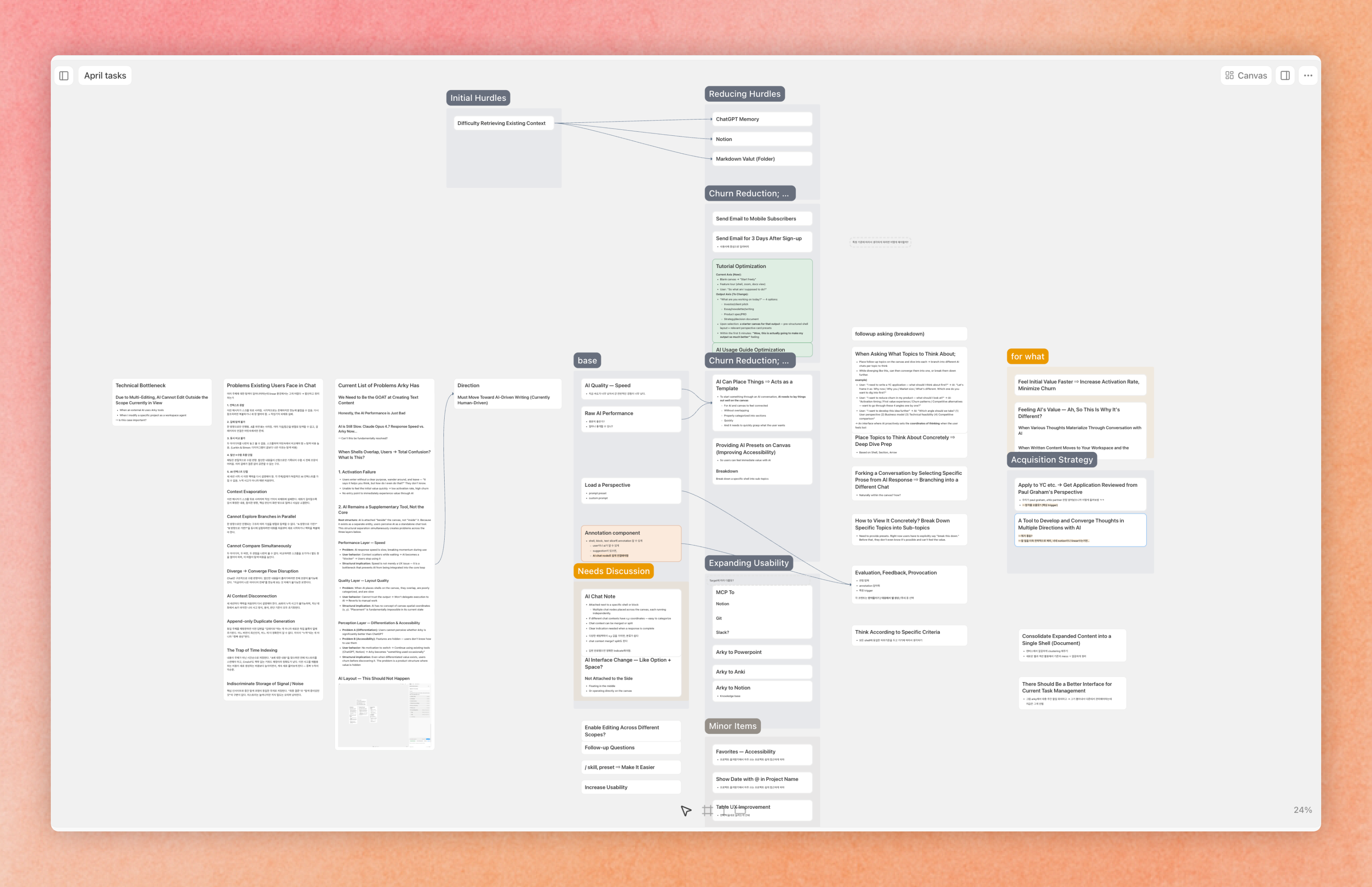
Save the plan back to Notion — Write the prioritized tasks you've shaped on the canvas back into your Notion database.
Linear
Search and update issues in your Linear workspace.
Example use cases
- Sprint status at a glance — Pull in active issues and summarize progress, blockers, and owners in one view.
- Spec → issue — The agent turns the spec you've drafted on the canvas into a new Linear issue.
💡 More integrations — Slack, GitHub, Atlassian, and others — are on the way. If there's a service you'd like us to support, let us know.
Use Arky from other apps
Arky also ships its own MCP endpoint. Claude Desktop, Cursor, or any MCP-aware client can read your Arky data.
Copy the MCP endpoint URL, then open your MCP client (Claude Desktop, Cursor, etc.) and add it as a new MCP server in that client's settings. On first connection, an Arky sign-in window opens automatically — once you log in, that app is authorized to access your Arky data. Authorized apps show up on this screen and can be revoked at any time.
💡 Access is read-only for now — editing is on the way, hang tight! The set of exposed tools will also keep expanding with each update. Separately, Arky is awaiting official review on Claude MCP Connectors. Once approved, you'll be able to add Arky inside Claude Desktop directly — no URL copying required.