 Minseo
What Could AI-Native Writing Look Like?
New ways of thinking need a new workspace. Why we built Arky — and what writing looks like in the age of AI.
What Could AI-Native Writing Look Like?
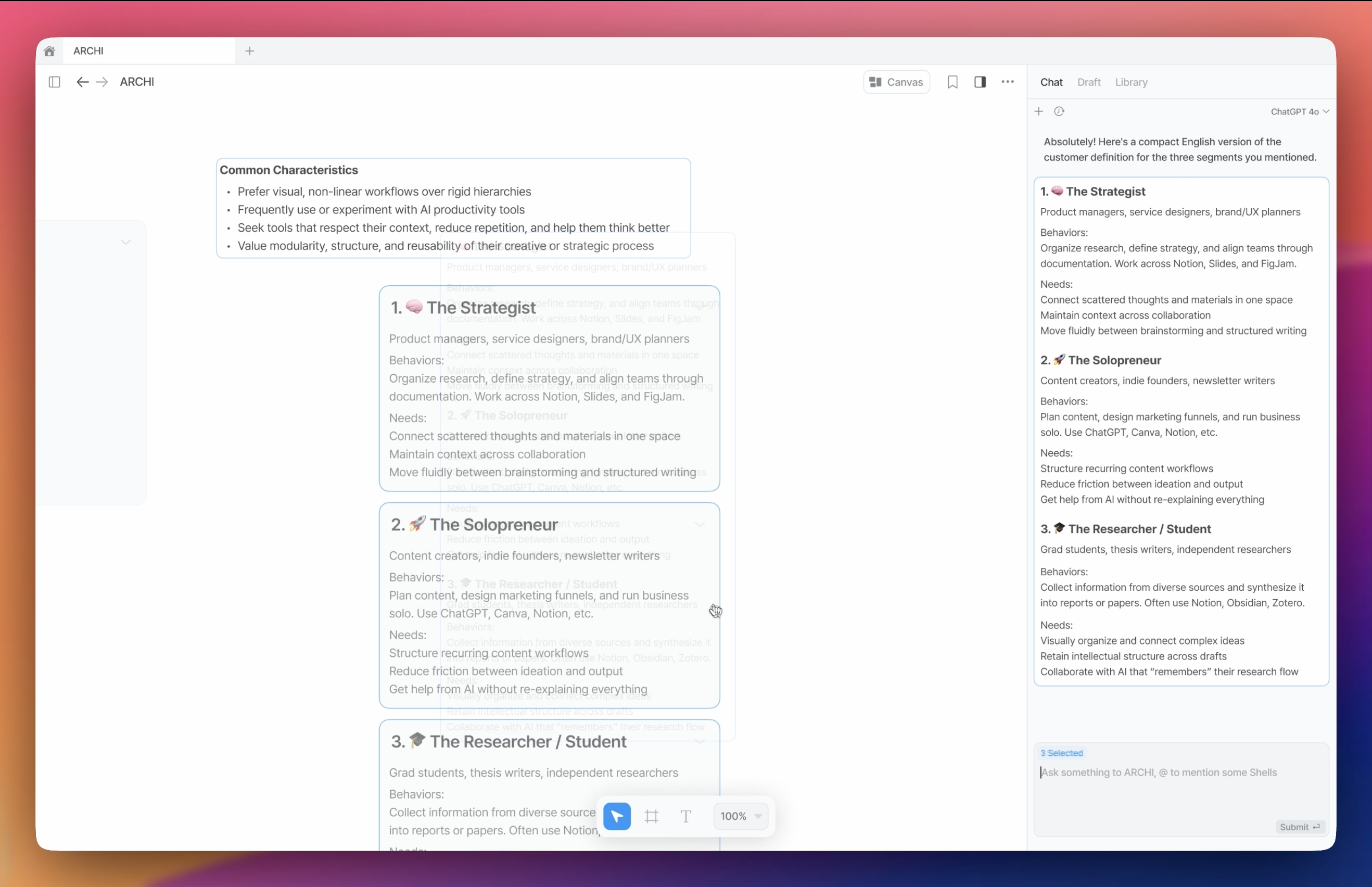
Hello, I'm Minseo Kim, and I'm building Arky — the visual canvas for shaping thoughts.
I sometimes describe it as a knowledge editor. But when I do, I'm usually met with the question, "What does that even mean?" When you hear code editor, tools like Cursor or VS Code probably come to mind. And when you hear document editor, you might think of Word or Notion. But knowledge editor? There's no clear reference point.
That's why I felt the need to write this — to explain what Arky is, what it's for, and why I'm building it. With that context, I hope the direction of the project becomes a little clearer.
Is the Word Processor Really the Best We've Got?
I've been asking myself this question long before Arky was even an idea. It's where everything started.
I've written countless documents since my school days. But I remember most clearly the frustration — especially when planning something or pulling together a report from scattered sources. That messy, tangled feeling? You've probably felt it too.
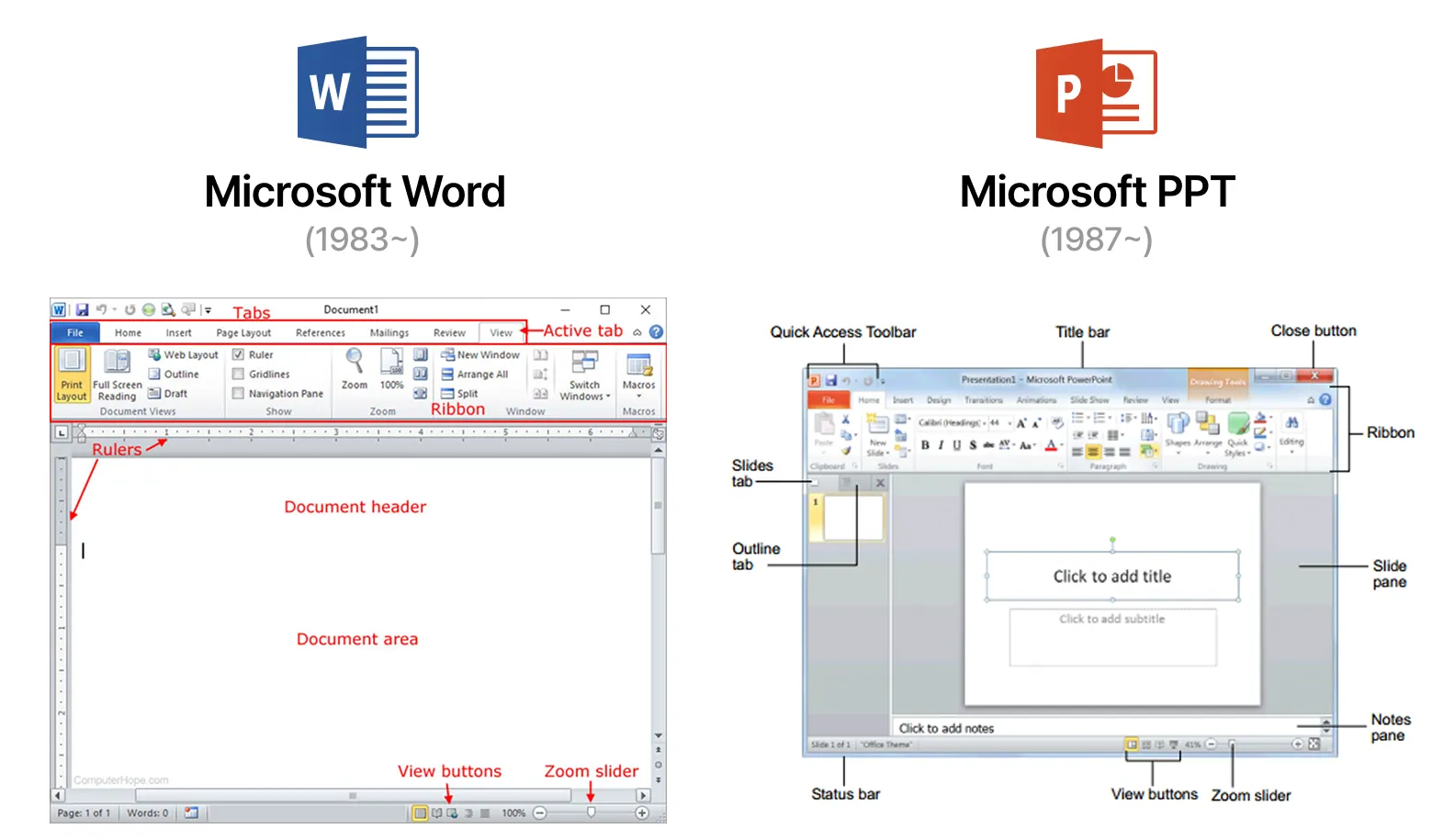
Word, PowerPoint, Excel — they've been the default tools for getting things done. We use them to organize and present ideas, at school, at work, everywhere. But at some point, I started to ask: If I'm really working with information and knowledge, why do tools like Word and PPT care so much about appearance?
That's why Notion was such a game-changer for me. It helped me break away from the surface-level formatting and get closer to the actual content. No more fiddling with Times New Roman, making the body text 12pt, the title 36pt, and bolding everything just right.
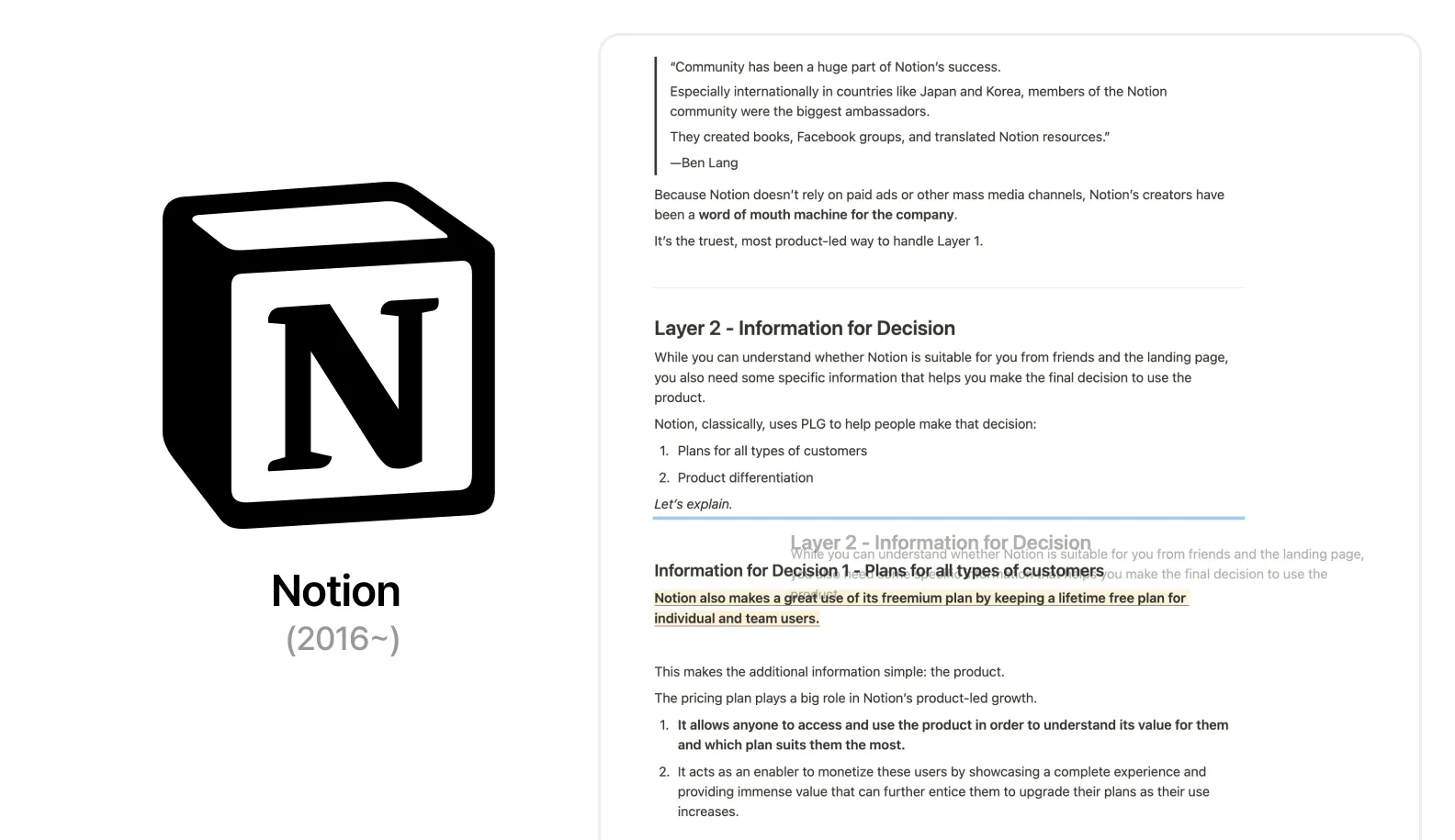
Instead, I could store ideas and references as layered pages. Everything's built around blocks, so it's easy to move things around or edit on the fly.
Now, whenever I start something new, opening Notion is pretty much automatic. I honestly can't imagine working without it. Over 100 million people use it for a reason.
But Even Notion Has Its Limits
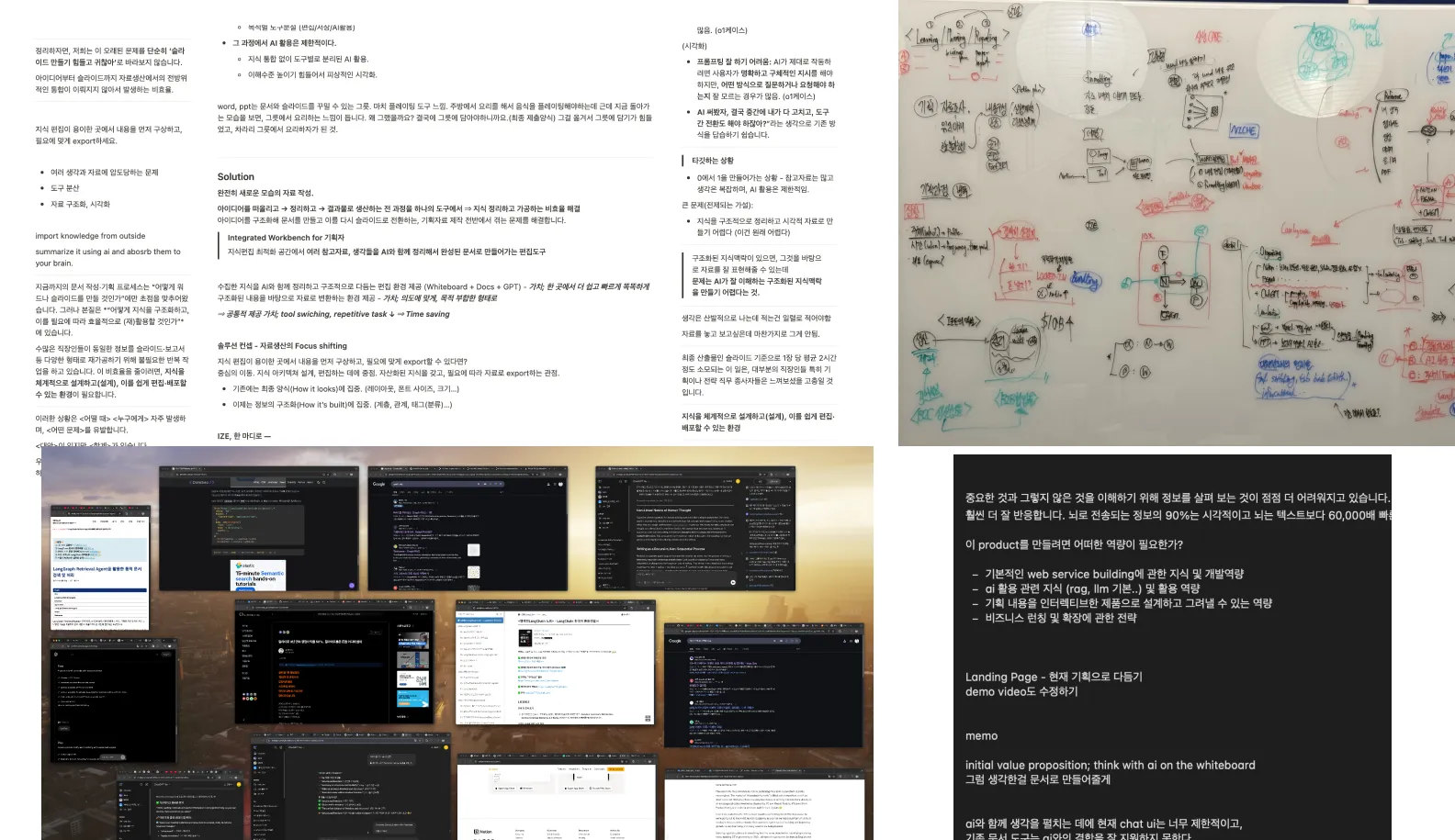
The frustration shows up most when I'm working with a bunch of different materials and trying to make sense of them. Planning something complex, grouping insights together... even with Notion, things still feel scattered. Text chunks pile up, I jump between Notion and a notes app, sometimes even go back to paper. My browser ends up with 30 tabs open.
Part of the problem is that our thoughts don't really flow like a typical document. They don't move neatly from top-left to bottom-right.
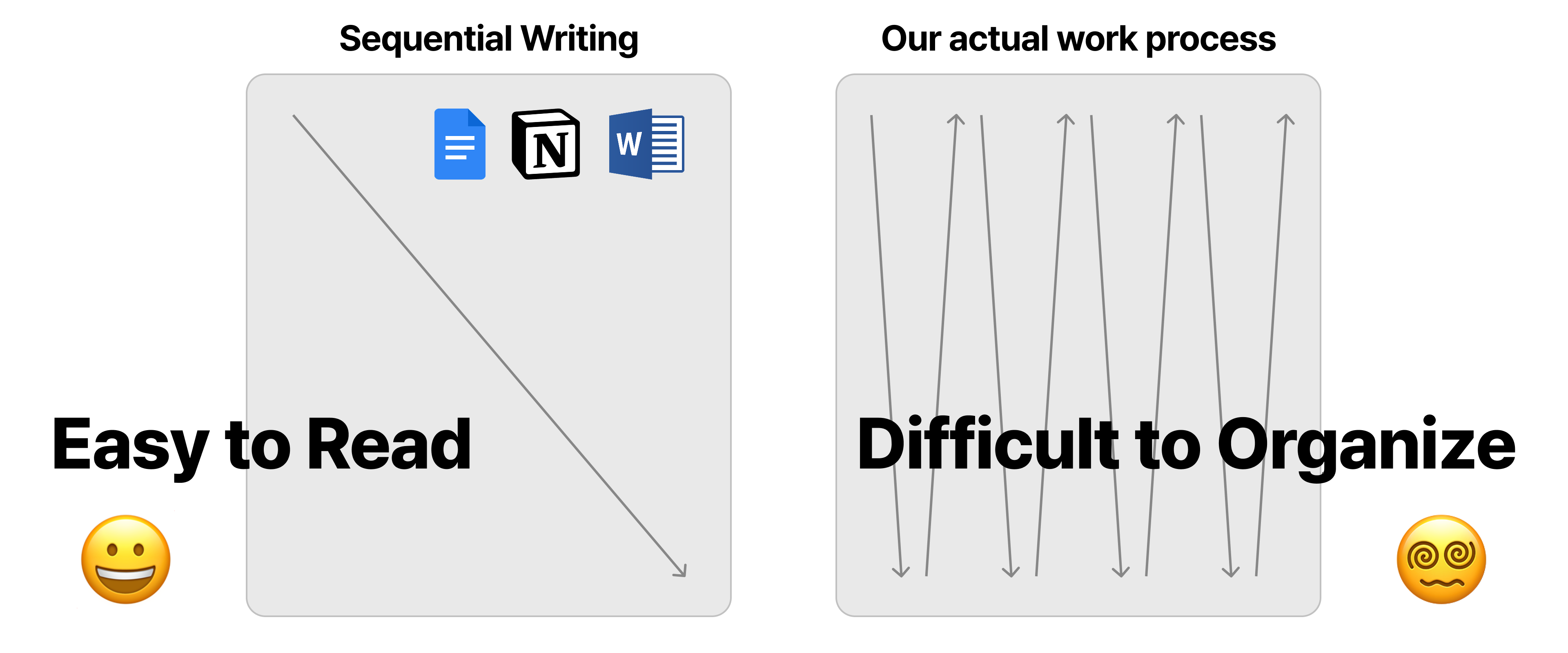
When we think, we're constantly referencing different sources, spotting patterns, organizing things into layers or categories. We jump between topics, shift perspectives. Our minds naturally move in a messy, nonlinear way.
Notion definitely offers a much more comfortable editing environment than traditional tools. But at the end of the day, it's still built on the foundation of a word processor — and that brings some inherited limitations. It's not exactly made for freeform knowledge editing. That's why it can feel restrictive when you're trying to sort through complex thoughts. And when that happens, we end up jumping between different tools just to make it work.
Figma Set Me Free From These Constraints
Originally built for UI design, it was already familiar to me as a product designer. But at some point, I noticed I was using it for more than just design — I was using it to think.
Compared to the tight constraints of a document, it felt open. I could scatter notes, images, and references across the canvas. I could group them, rearrange them, expand them. Suddenly, my thoughts had room to move.
But then came the moment I had to share it — or save it for later. That's when I had to go back. Back to Notion or another doc-based tool. Because Figma, at its core, is still a design tool. It doesn't support markdown. It doesn't create logical structure. A text inside a Frame looks fine — but it doesn't mean anything structurally.
The Gap Between Organizing and Presenting
Here's what I kept running into: the space where I organize information and the space where I present it were completely disconnected.
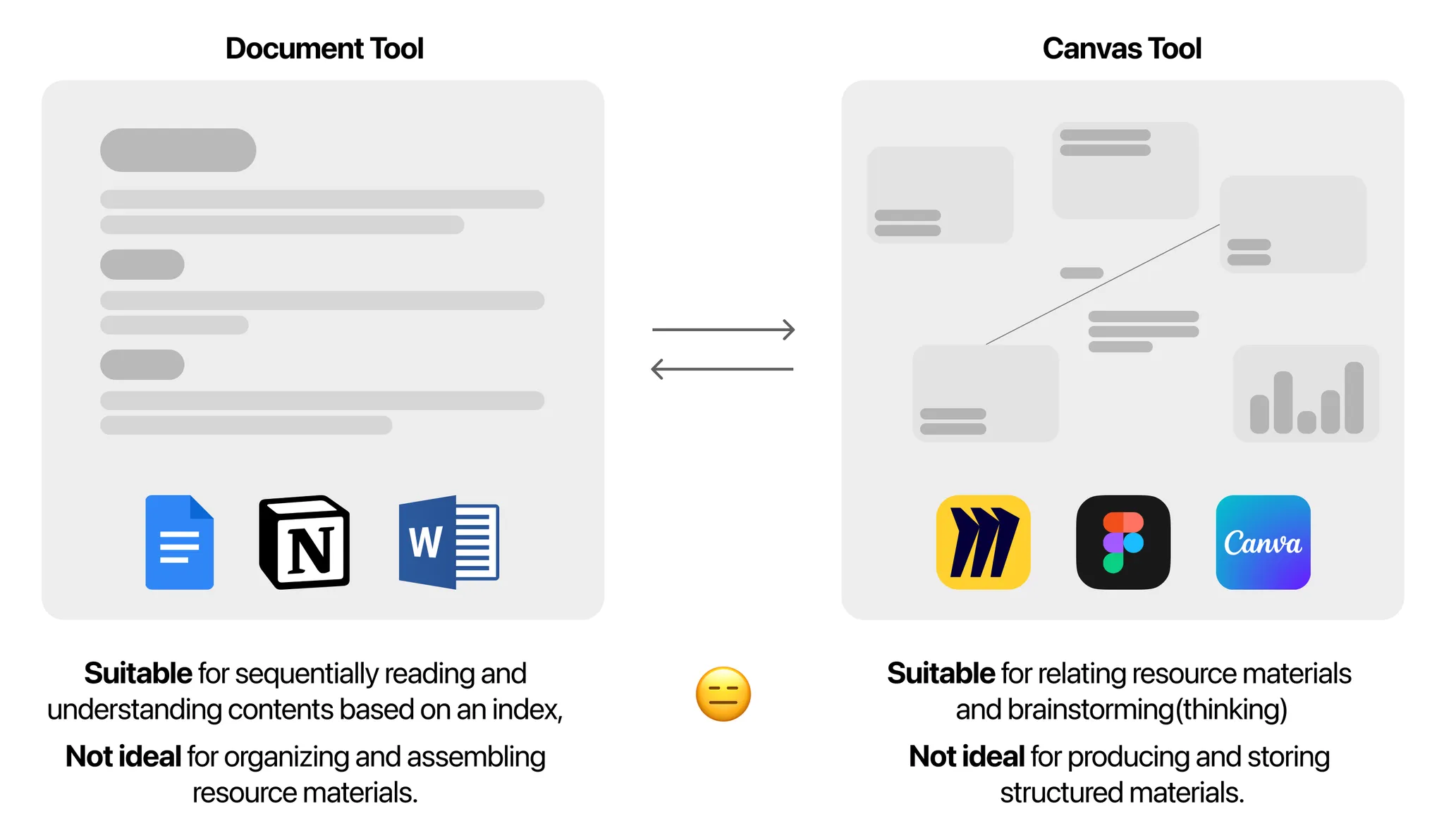
Word is a tool designed to make content look good. Figma, on the other hand, offers an open environment that makes it easier to organize ideas. Notion feels like it falls somewhere in between.
When it comes to exploring and developing ideas, canvas-based tools like whiteboards or Figma feel much more natural. But once those ideas need to be cleaned up and shared, document-based tools like Notion do a better job.
The problem is — they're worlds apart. They work differently. They think about information differently.
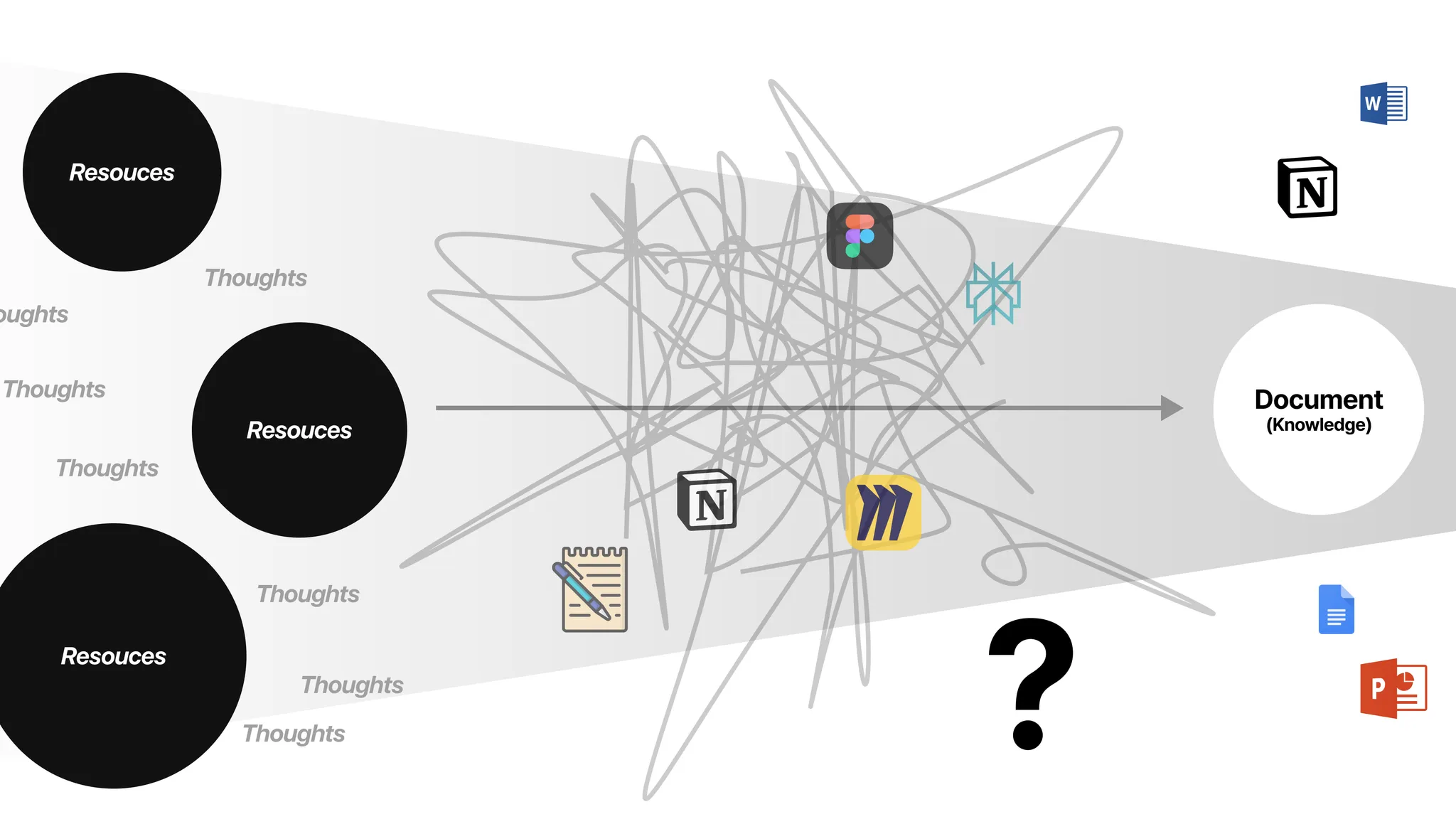
I jumped between tools, pulled pieces together, and cleaned it up in Notion — but everything before that was a mess. Managing related materials, making sense of scattered information, pulling it all together — it was always exhausting. And there wasn't a clear alternative.
So I just lived with the discomfort. For a long time, I wasn't even sure it was a real problem. We've all been working around it. Notion is good enough — for most people.
Then AI showed up — and for the first time, I had something I could actually think with. Open ChatGPT, and you can already do a surprising amount of knowledge work.
Most of this happens through a chat-based UI. You type a question like you're texting a friend, and it gives you an answer. That works well for quick results. But when you're trying to build something bigger — something with structure and context — it starts to fall short.
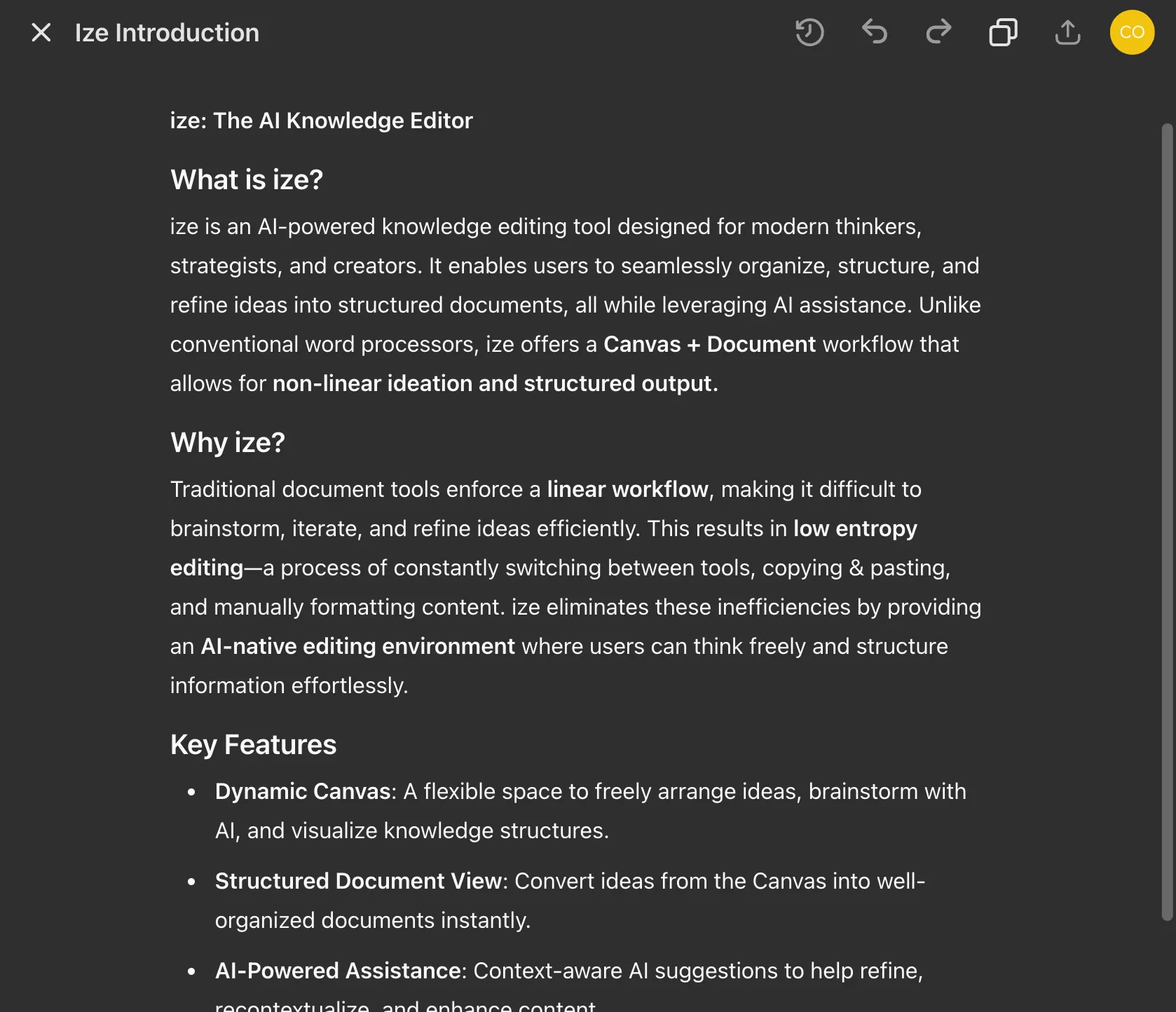
There are tools like ChatGPT Canvas that let you write and edit in the same space. But they're not designed for doing everything. Not yet.
As I mentioned earlier, we naturally think better on open canvases — like paper or whiteboards. It's no different when working with AI. Collaborating with AI is, at its core, a thinking process. But today, most of that happens inside linear environments like chat windows or document editors.
The result? Constant tab switching. You chat with the AI, then jump back to your workspace — copy, paste, rewrite, repeat. Sure, we've done this before with Google searches. But now it happens even more often, because AI is involved in every part of the thinking process.
And if you want a better response, you need to give the AI better context. That means stepping outside your workflow to explain what you're doing, what you need, where you are in the process. Then you keep refining the question, copying answers, pasting them back. Over and over again.
Why Not Just Add AI to Existing Document Tools?
That's what many tools tried to do as soon as AI showed up. Notion AI launched back in November 2022. But among the 30+ people I spoke with — including friends and people I interviewed — not a single person actually used it regularly.
Same with Copilot in Word, or Gemini in Google Docs. I don't know anyone who relies on them. And I'd bet they're still rare across the broader population.
There's something telling here: An environment that's good for reading isn't always good for thinking.
We've been trying to do our thinking inside tools built for polished, readable documents. But collaborating with AI is a thinking process. And when you try to think inside a tool made for reading, you don't get real synergy. Just bolting AI onto existing document UIs — it's not enough.
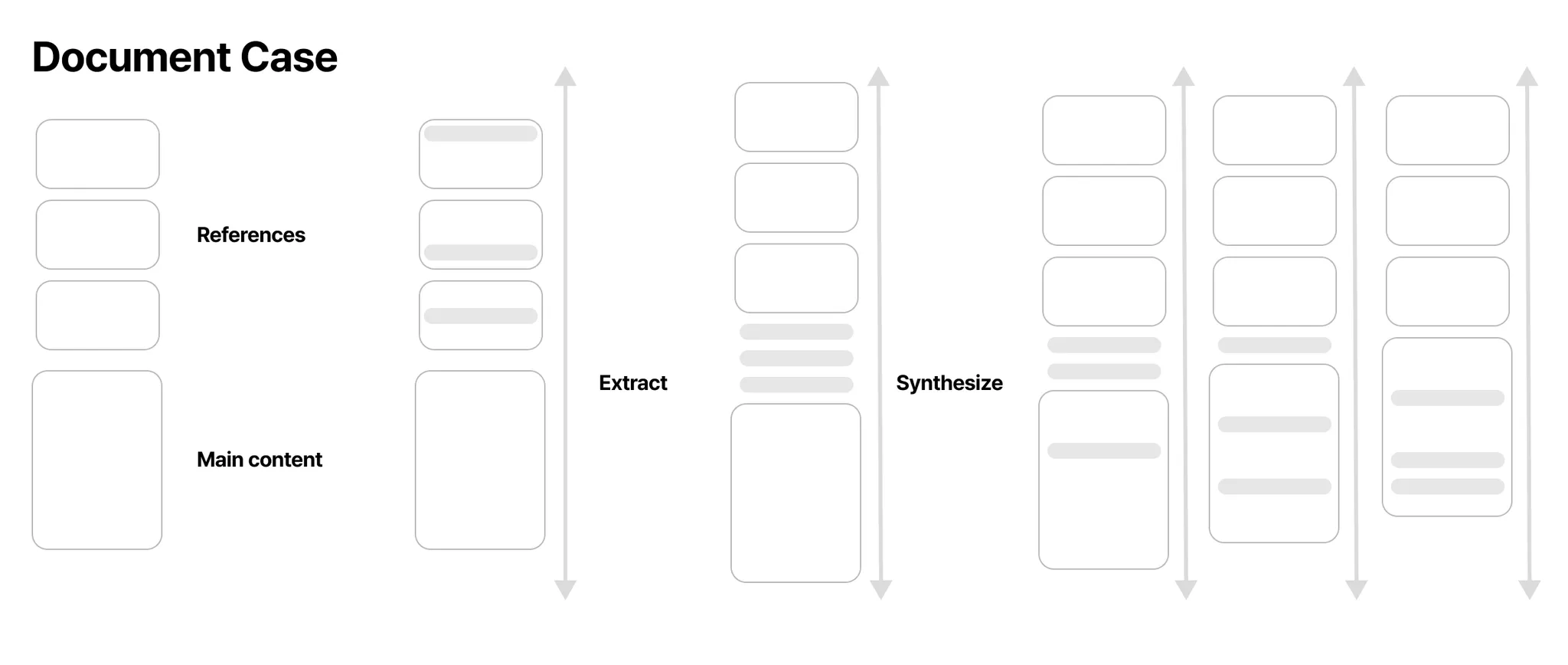
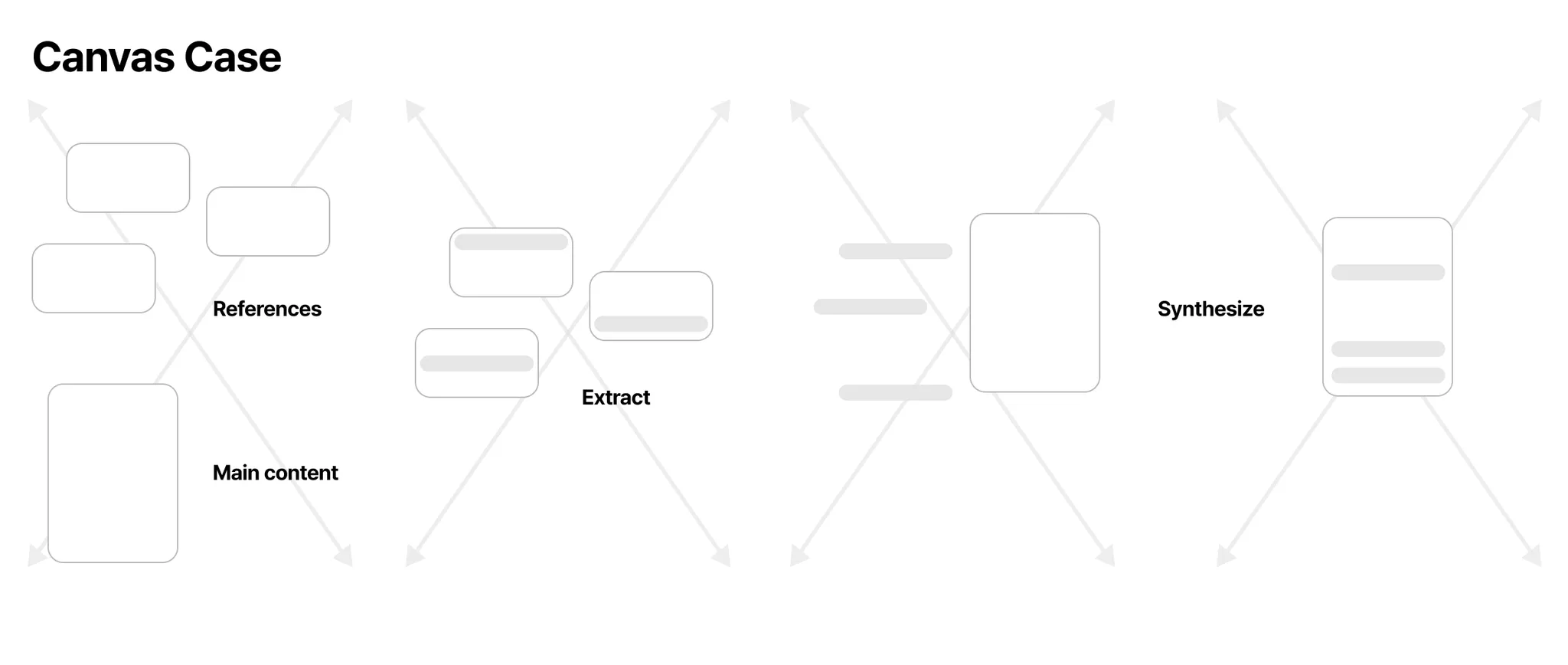
The messy, nonlinear kind of knowledge work needs a different kind of space. Something more like a canvas. If you've ever tried to combine multiple AI responses, drafts, cross-check sources, and build a cohesive idea out of all that — you've probably felt the difference.
We're Living in a Time When Ideas Move Faster Than Ever
It used to be that writers did everything themselves — researching, reviewing, writing from scratch. But now, things start differently. Before we write even the first sentence, we ask AI for ideas, outlines, or drafts. We review what ChatGPT or Perplexity pulls in, rework it, reshape it. We plan structure, develop content, translate — all with AI in the loop.
The way we think, write, and create has changed. But the tools we use every day? Not so much.
Microsoft Word has been around for over 40 years — with surprisingly little change. The document space is still dominated by just two players: Google and Microsoft. It's time the tools caught up with the way we actually work.
Three Reasons I Decided to Build This
-
As AI progressed, it became clear that we needed better ways to support knowledge editing. AI gives us more information and references than ever — but that means we have more to process, sort, and make sense of. Now that we can actually think alongside AI, shouldn't we have an environment designed for exactly that?
-
We're no longer limited by static formats. In the past, even after you had clearly understood and structured your ideas, you still had to rewrite them — turning everything into a polished Notion page, a slide deck, or a formal report. But now, with AI, structure is leverage. Once your ideas are organized, it's easy to generate whatever format you need.
-
I wanted more people to actually benefit from AI. The question still stands: is AI really being used to its full potential by most people? For me, the answer is a clear no. Setting up RAG systems to sync your own knowledge, or refining prompts to get better responses — these things take extra effort. That's why making AI easier to use, for more people, became part of the reason for building this.
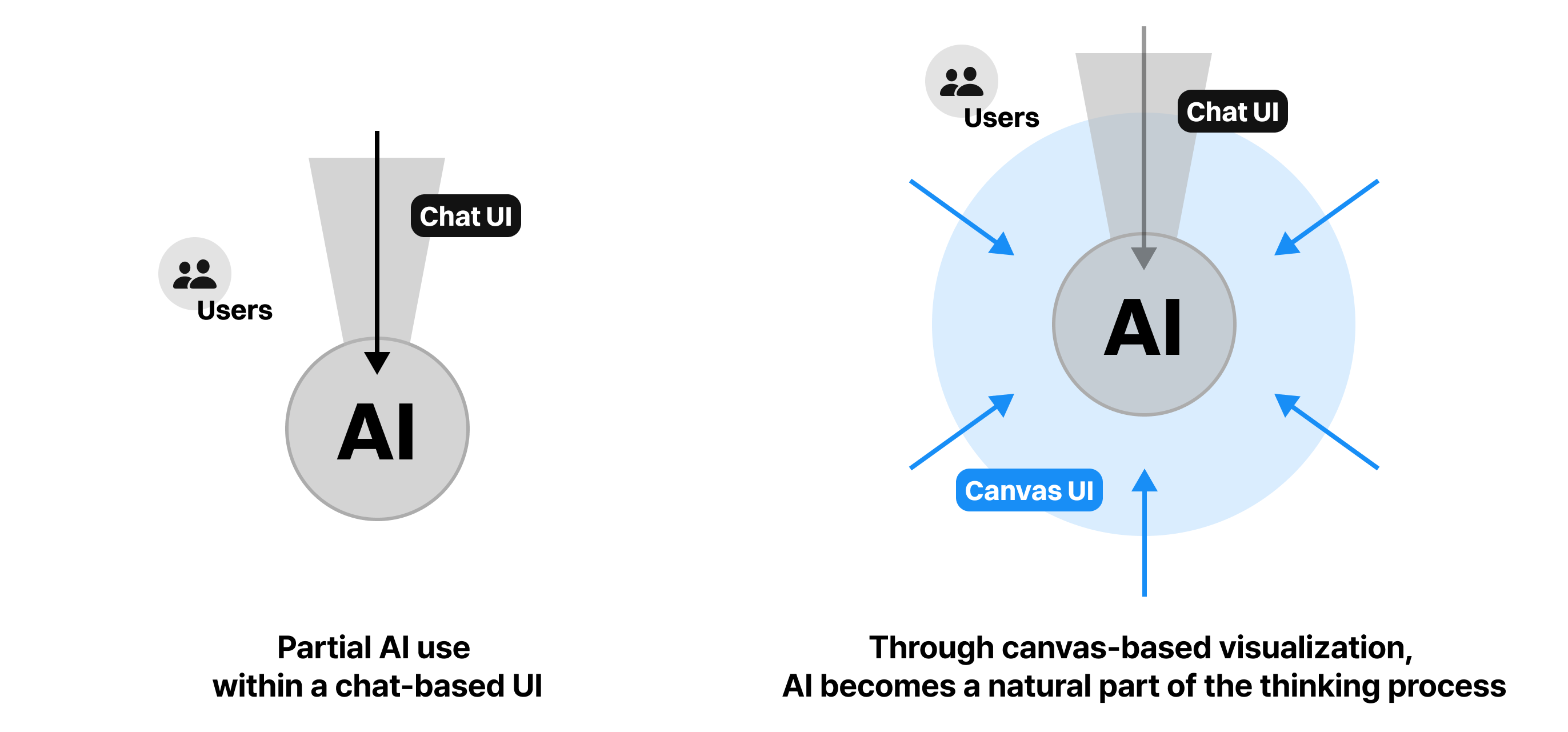
What if the place where you organize your thinking and the place where you publish could be the same thing? And what if AI lived inside that flow from the start? That's the bet we're making with Arky.
Arky Is a New Kind of Workspace for Knowledge Editing
We reimagined the writing experience from the ground up — starting with a question: What does writing look like in the age of AI?
Instead of forcing thoughts into a rigid document that flows from the top-left to the bottom-right, Arky lets you lay out your ideas freely on a canvas and refine them alongside AI. At any point, what's on the canvas can be turned into a document.
We think of knowledge as information with context. Arky helps you build that context — connect ideas, structure your thinking, and turn scattered notes into something that actually makes sense.
You create knowledge first. Then, when you're ready, you package it — into whatever format you need. PDF, webpage, .docx, .pptx... thanks to AI, you're no longer constrained by file types.
Arky is especially useful when you're turning complex ideas into something clear — whether that's an academic paper, a strategy doc, or just making sense of a messy topic.
That's why we don't call it a document editor. We call it a knowledge editor.
Documents are just containers. What matters isn't the shell — it's the substance. The knowledge itself. In Arky, that knowledge takes the form of layered, structured information — built on Markdown.
So, How Does It Actually Work?
In Arky, you write markdown directly on a canvas — much like in Figma. But this isn't about placing a document onto the canvas and typing inside it. It's a completely different model: the content you lay out on the canvas becomes the document itself.
You're not dropping a document into a 2D space. You're writing in two dimensions, and Arky transforms that into a structured, linear output.
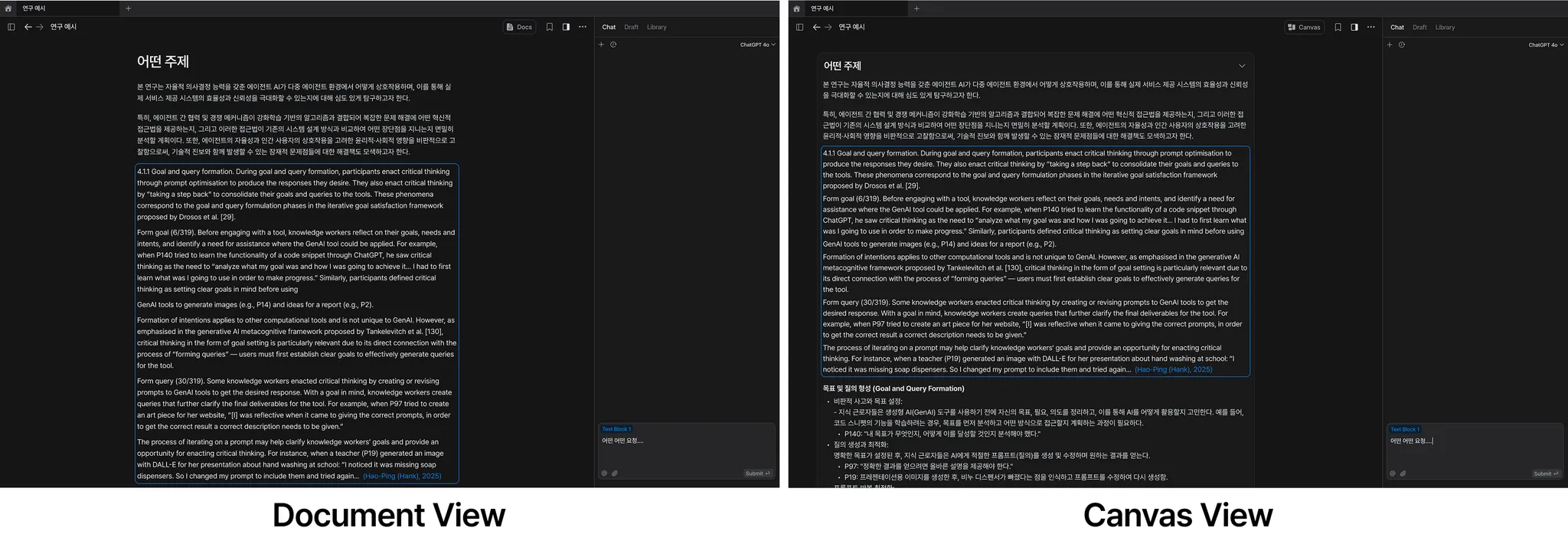
If traditional document editors are like a CLI — rigid, step-by-step — Arky is more like a GUI. You spread out your thoughts, assemble ideas visually, and build from there. Add AI to that, and the whole process changes.
Here's the key: Everything you create on the canvas is instantly reflected in a document view. You're not working in two separate environments, and you're not asking AI to "turn this into a document" after the fact. It's the same content — just two ways of seeing it.
The best way to think about it? It's like if Notion and Figma had a baby. You can switch between views as you write — use the clean, structured document view when you want to focus on clarity, and shift to the canvas view when things get messy and you need space to brainstorm. Either way, what you're working on is always in sync.
This brings a few clear advantages. As I hinted earlier, collaborating with AI feels much more natural in an environment designed for brainstorming. You can scatter, group, summarize, translate — whatever the knowledge work is, it flows better when the space is open and flexible.
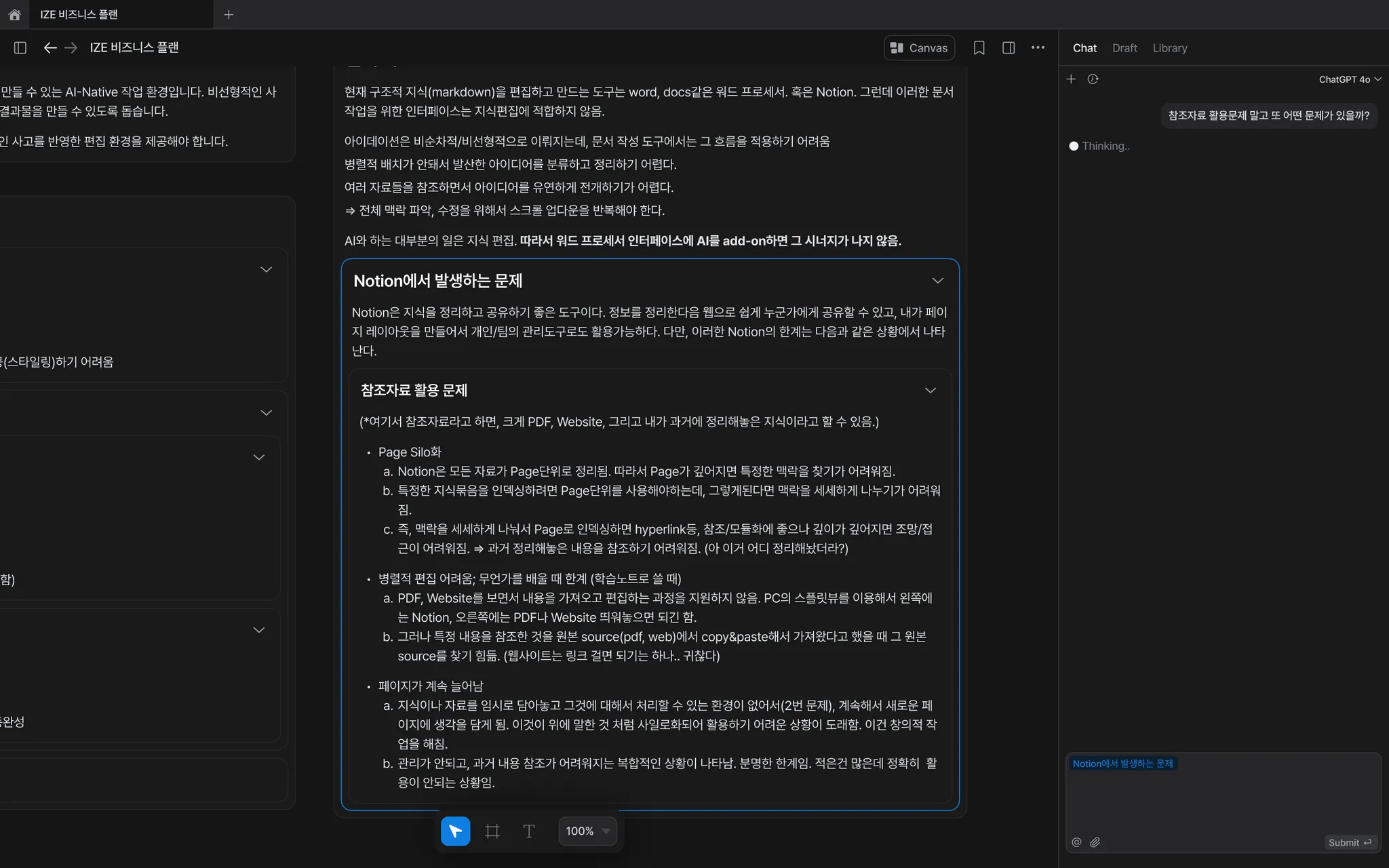
So what happens when AI enters this kind of interface? You get something closer to a true thinking partner. Because it understands the context of your work — the structure, the flow, the layers of your notes — it can help without you having to explain everything from scratch.
It's a bit like what Cursor did for coding: blending AI seamlessly into the IDE. In Arky, AI understands the knowledge you're building — thanks to the markdown-based hierarchy — and responds in ways that actually match your thought process.
A real brainstorming copilot.

All of this makes the editing process faster and more natural. Once you've shaped your thinking, you can export it into whatever format you need. And with MCP, the same content can plug into other workflows too.
To Close
I recently came across a letter "We don't sell saddles here" — Slack's founder wrote to his team before the product launched.
We want to build something people truly love. A product that earns affection not with hype, but through quiet care — by sweating the details, putting users first, and improving steadily over time.
Arky will change how individuals and teams think and work together. But that's not the full picture. What we really care about is changing how knowledge gets created and shared. We want an internet where you can find trustworthy, well-sourced knowledge — and make it your own.
To make it easier to understand new ideas — and easier to pass them on. If we can do that, maybe AI can help raise the baseline of human intelligence.
A Personal Note
Building something new is never easy. But the conviction has only grown stronger over time.
Every conversation with users, every prototype we ship, every moment someone says "this is how I actually think" — it all reinforces the same belief: this is the right problem to solve, and now is the right time to solve it.
Human progress has always been driven by better tools. We're living through a knowledge revolution — something like the leap from horse-drawn carriages to cars. Tool makers are rare in this world. We're building something people can't fully imagine yet — but will wonder how they ever worked without.
"I couldn't find the car I was dreaming of. So I decided to build it myself."
— Ferry Porsche
If you're curious about our team or interested in what we're building, feel free to reach out anytime — we'd love to hear from you.